
Tag Archive for: Macbook

We’ve updated the Contacts, Calendar & Reminders for Mac tutorial with 8 All-New lessons on the Mac Calendar App and 13 new lessons on Reminders for Mac!
See how to add, edit, and share events as well as multiple calendars. Learn to create different types of reminders, how to organize them, view reminders in today view, and even how to view and create reminders on your Apple Watch!
View more details, and a free lesson Here…
Read more

In this quick lesson from TheMacU.com see how to set up your Mac trackpad to click and drag with just one finder or with a 3 finger drag. I have used the 3 finger drag option for years and much prefer it over the standard “press with a thumb, drag with finger” method.
Learn more about the macOS Core Concepts Tutorial Here…
Read more
Get the most out of your Mac with this in-depth macOS video tutorial! Great for anyone new to the Mac or just looking to grasp all the details of macOS. The lessons in this tutorial are also a fantastic reference/reminder for more experienced Mac users! We go into detail regarding the Mac Interface, handling files and folders, using iCloud features, and all Mac system preferences! Tons of content & details!
View more details, and a free lesson Here…
Read more

In this quick lesson see how to use the free Grammarly Safari Extension to not only correct spelling mistakes but also point out and explain grammar mistakes and changes you might want to make. Grammarly also offers an extension for Chrome, a Mac App, integration with MS Word, and a web interface! With a free account, Grammarly will check your spelling, grammar, and conciseness. Become a premium member for enhanced writing evaluation such as readability, vocabulary enhancement, writing style, and plagiarism checks. Learn more about Grammarly…

In this lesson that has been added to our full video tutorial on Pixelmator Pro see how we can now apply text to paths and shapes. This allows you to add text in a smooth arc or along a custom drawn path! Current All Access Members can view the full Pixelmator Pro tutorial here…

In this lesson that’s been added to the full “Learn – Pages for Mac” tutorial see how to add a title, caption or both to most any object in a Pages document. This will work with images, shapes, charts, etc… Current All Access Members can view the full Pages for Mac tutorial here…
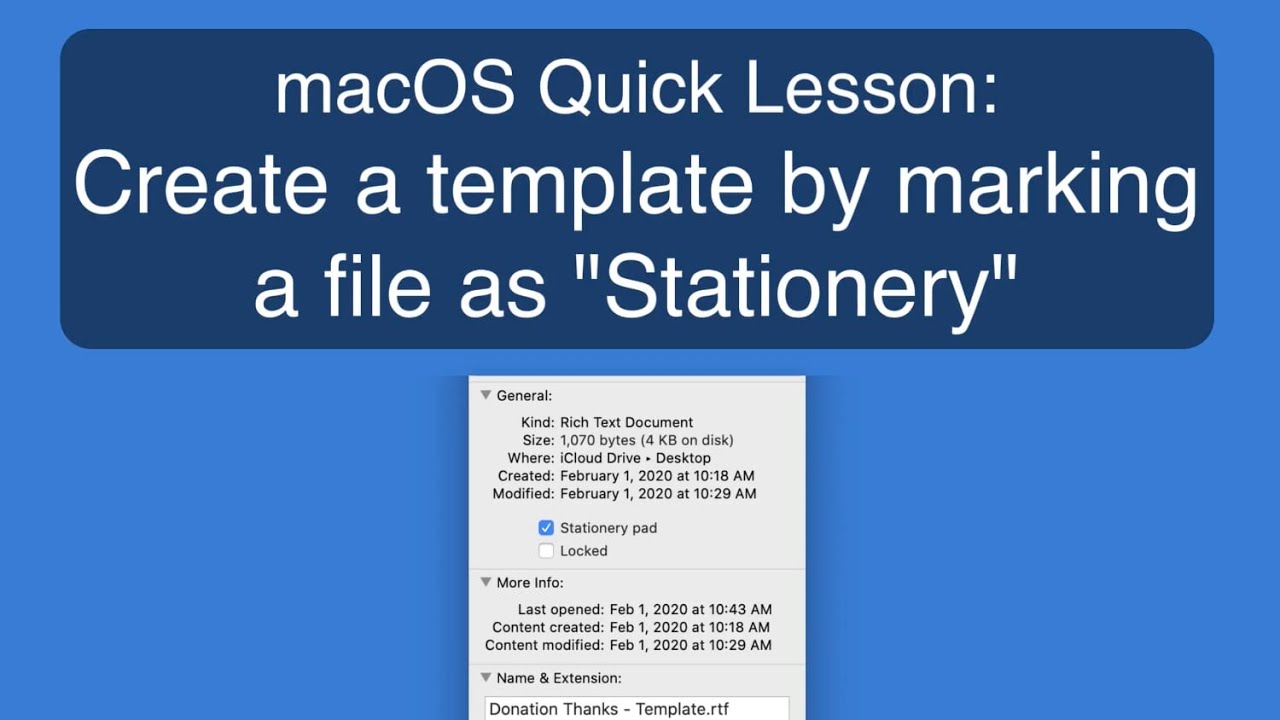
In this quick lesson from TheMacU.com see how to setup a file as a template with one click in macOS! This lesson refers to the info panel which you can learn more about in the macOS CoreConcepts Tutorial!

I don’t usually do reviews or testing on Macs but I recently upgraded to a new 16″ MacBook Pro. In this video I compare how much faster it is when exporting video to the 2016 15″ MacBook Pro it’s replacing!
Link to this 16″ MacBook Pro Model on Adorama https://adorama.rfvk.net/yAXZG

In this quick lesson see how to use AI Portrait Enhancement in Luminar 4. Quickly improve eyes, skin, lips and more of the subject without making any selections or using any brushes!
Learn more and download a Free Trial of Luminar here…
Also take a look at the Luminar 4 AI Sky Replacement Lesson!