
In this free lesson just added to the macOS High Sierra Core Concepts Tutorial. See how to use the App Switcher to quickly jump between running apps, hide or quit apps and even open files from the App Switcher!
Current All Access Members can view the full tutorial here…
Tag Archive for: Finder

In this quick lesson from TheMacU.com see how to use the Image Capture App that is built into every Mac to scan photos or documents. Learn more about system preferences, the Desktop and using your Mac overall with the macOS High Sierra Core Concepts Tutorial.
If you are not yet an All Access subscriber, begin your free trial by selecting one of the membership options below…
Monthly All Access Subscription
- Just $5 per month for TheMacU All Access. Fill out the form below to create your account then click the "Join All Access" button at the bottom of the page. On the next page enter your payment information to complete the registration and begin your free trial! *This is an auto-renewing subscription. No refunds after the free trial period and you must cancel prior to the renewal date to avoid being charged for the next year.
Yearly All Access Subscription
- Only $25 per year for TheMacU All Access. Fill out the form below to create your account then click the "Join All Access" button at the bottom of the page. On the next page enter your payment information to complete the registration and begin your free trial!
*This is an auto-renewing subscription. No refunds after the free trial period and you must cancel prior to the renewal date to avoid being charged for the next year.
Lifetime Membership
- With this option pay $150 once for an All Access Membership that will never expire! Fill out the form below to create your account then click the "Join All Access" button at the bottom of the page. On the next page enter your payment information to complete the registration and begin viewing all the tutorials!
One Year Membership
- With this option pay $30 once for an All Access Membership that is good for a full year. This membership will not auto-renew like the yearly subscription. Fill out the form below to create your account then click the "Join All Access" button at the bottom of the page.
Three Month Membership
- With this option pay $12 one time for a 3-Month All Access Membership. This membership will not auto-renew. Fill out the form below to create your account then click the "Join All Access" button at the bottom of the page.

In this free lesson just added to the macOS High Sierra Core Concepts Tutorial. See how to use the App Switcher to quickly jump between running apps, hide or quit apps and even open files from the App Switcher!
Current All Access Members can view the full tutorial here…
In this quick lesson from TheMacU.com see how to use the Image Capture App that is built into every Mac to scan photos or documents. Learn more about system preferences, the Desktop and using your Mac overall with the macOS High Sierra Core Concepts Tutorial.
If you are not yet an All Access subscriber, begin your free trial by selecting one of the membership options below…
Monthly All Access Subscription
- Just $5 per month for TheMacU All Access. Fill out the form below to create your account then click the "Join All Access" button at the bottom of the page. On the next page enter your payment information to complete the registration and begin your free trial! *This is an auto-renewing subscription. No refunds after the free trial period and you must cancel prior to the renewal date to avoid being charged for the next year.
Yearly All Access Subscription
- Only $25 per year for TheMacU All Access. Fill out the form below to create your account then click the "Join All Access" button at the bottom of the page. On the next page enter your payment information to complete the registration and begin your free trial!
*This is an auto-renewing subscription. No refunds after the free trial period and you must cancel prior to the renewal date to avoid being charged for the next year.
Lifetime Membership
- With this option pay $150 once for an All Access Membership that will never expire! Fill out the form below to create your account then click the "Join All Access" button at the bottom of the page. On the next page enter your payment information to complete the registration and begin viewing all the tutorials!
One Year Membership
- With this option pay $30 once for an All Access Membership that is good for a full year. This membership will not auto-renew like the yearly subscription. Fill out the form below to create your account then click the "Join All Access" button at the bottom of the page.
Three Month Membership
- With this option pay $12 one time for a 3-Month All Access Membership. This membership will not auto-renew. Fill out the form below to create your account then click the "Join All Access" button at the bottom of the page.
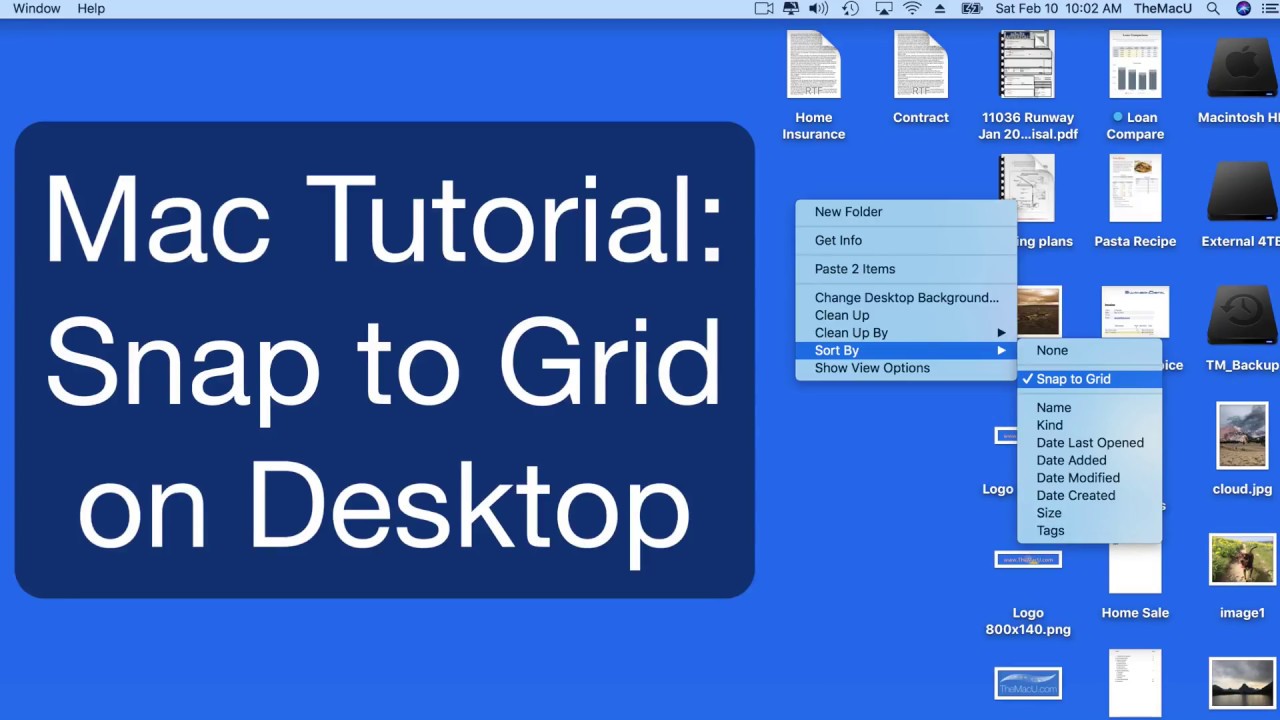
In this quick lesson from TheMacU.com see how to use the Snap to Grid view option to uncluttered your desktop but still have control over how it’s arranged! Learn more about the Desktop, Finder and your Mac overall with the macOS Core Concepts Tutorial.
If you are not yet an All Access subscriber, begin your free trial by selecting one of the membership options below…
Monthly All Access Subscription
- Just $5 per month for TheMacU All Access. Fill out the form below to create your account then click the "Join All Access" button at the bottom of the page. On the next page enter your payment information to complete the registration and begin your free trial! *This is an auto-renewing subscription. No refunds after the free trial period and you must cancel prior to the renewal date to avoid being charged for the next year.
Yearly All Access Subscription
- Only $25 per year for TheMacU All Access. Fill out the form below to create your account then click the "Join All Access" button at the bottom of the page. On the next page enter your payment information to complete the registration and begin your free trial!
*This is an auto-renewing subscription. No refunds after the free trial period and you must cancel prior to the renewal date to avoid being charged for the next year.
Lifetime Membership
- With this option pay $150 once for an All Access Membership that will never expire! Fill out the form below to create your account then click the "Join All Access" button at the bottom of the page. On the next page enter your payment information to complete the registration and begin viewing all the tutorials!
One Year Membership
- With this option pay $30 once for an All Access Membership that is good for a full year. This membership will not auto-renew like the yearly subscription. Fill out the form below to create your account then click the "Join All Access" button at the bottom of the page.
Three Month Membership
- With this option pay $12 one time for a 3-Month All Access Membership. This membership will not auto-renew. Fill out the form below to create your account then click the "Join All Access" button at the bottom of the page.
Keep your Mac running its best with CleanMyMac!

In this lesson just see how to use the Hide command to make an app disappear from your display without quitting or minimizing it. We also look at how to hide all visible Apps except the one you are actively using. Current All Access subscribers can view the full tutorial here…
If you are not yet an All Access subscriber begin your free trial by selecting one of the membership options below…
Monthly All Access Subscription
- Just $5 per month for TheMacU All Access. Fill out the form below to create your account then click the "Join All Access" button at the bottom of the page. On the next page enter your payment information to complete the registration and begin your free trial! *This is an auto-renewing subscription. No refunds after the free trial period and you must cancel prior to the renewal date to avoid being charged for the next year.
Yearly All Access Subscription
- Only $25 per year for TheMacU All Access. Fill out the form below to create your account then click the "Join All Access" button at the bottom of the page. On the next page enter your payment information to complete the registration and begin your free trial!
*This is an auto-renewing subscription. No refunds after the free trial period and you must cancel prior to the renewal date to avoid being charged for the next year.
Lifetime Membership
- With this option pay $150 once for an All Access Membership that will never expire! Fill out the form below to create your account then click the "Join All Access" button at the bottom of the page. On the next page enter your payment information to complete the registration and begin viewing all the tutorials!
One Year Membership
- With this option pay $30 once for an All Access Membership that is good for a full year. This membership will not auto-renew like the yearly subscription. Fill out the form below to create your account then click the "Join All Access" button at the bottom of the page.
Three Month Membership
- With this option pay $12 one time for a 3-Month All Access Membership. This membership will not auto-renew. Fill out the form below to create your account then click the "Join All Access" button at the bottom of the page.
Keep your Mac running it running its best with CleanMyMac!

In this free lesson from the soon to be released “macOS High Sierra Core Concepts” Tutorial go back to the basics with a lesson on The Mac Desktop!
Look for the full “Core Concepts” tutorial to be available by October to All Access Members.
If you are not yet an All Access subscriber begin your free trial by selecting one of the membership options below…
Monthly All Access Subscription
- Just $5 per month for TheMacU All Access. Fill out the form below to create your account then click the "Join All Access" button at the bottom of the page. On the next page enter your payment information to complete the registration and begin your free trial! *This is an auto-renewing subscription. No refunds after the free trial period and you must cancel prior to the renewal date to avoid being charged for the next year.
Yearly All Access Subscription
- Only $25 per year for TheMacU All Access. Fill out the form below to create your account then click the "Join All Access" button at the bottom of the page. On the next page enter your payment information to complete the registration and begin your free trial!
*This is an auto-renewing subscription. No refunds after the free trial period and you must cancel prior to the renewal date to avoid being charged for the next year.
Lifetime Membership
- With this option pay $150 once for an All Access Membership that will never expire! Fill out the form below to create your account then click the "Join All Access" button at the bottom of the page. On the next page enter your payment information to complete the registration and begin viewing all the tutorials!
One Year Membership
- With this option pay $30 once for an All Access Membership that is good for a full year. This membership will not auto-renew like the yearly subscription. Fill out the form below to create your account then click the "Join All Access" button at the bottom of the page.
Three Month Membership
- With this option pay $12 one time for a 3-Month All Access Membership. This membership will not auto-renew. Fill out the form below to create your account then click the "Join All Access" button at the bottom of the page.
Prepare your Mac for the upgrade to High Sierra and keep it running its best with CleanMyMac!
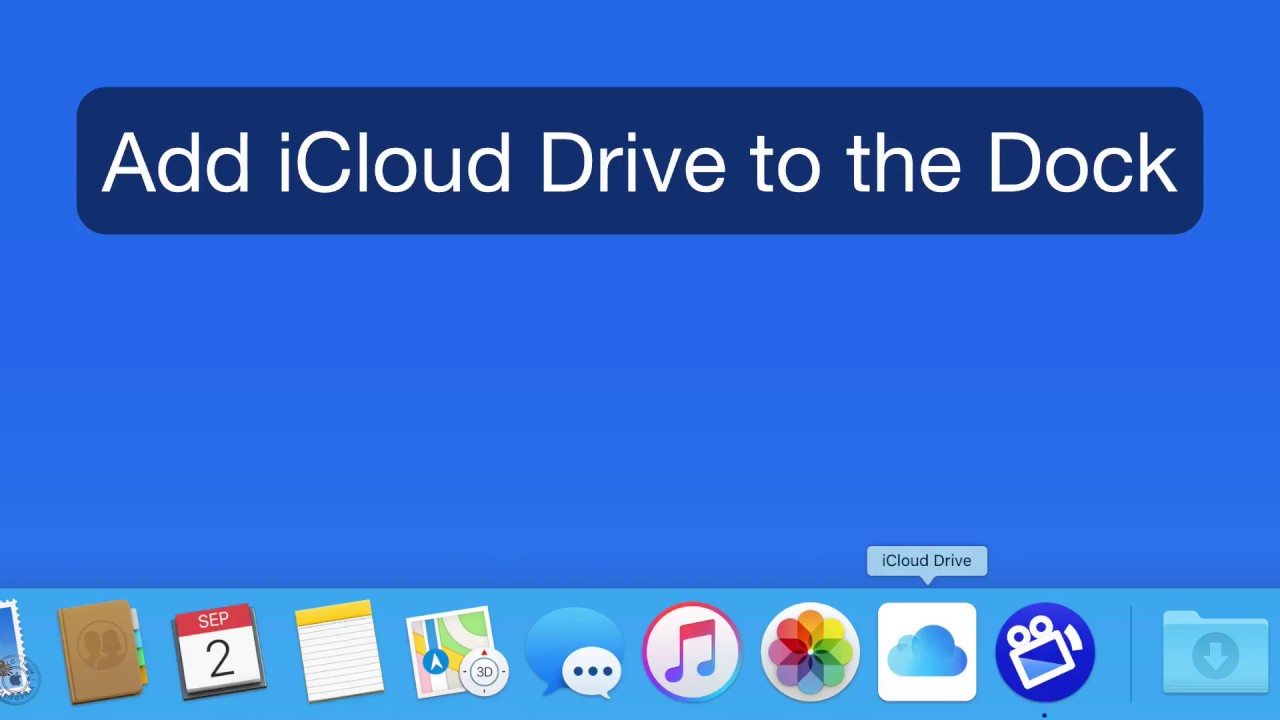
In this quick lesson see how to add locations like iCloud Drive, Air Drop, Recent Files and All My Files to the Dock in macOS.
Copy and paste the following location into the “Go” menu to find the correct icons…
/System/Library/CoreServices/Finder.app/Contents/Applications/
**This has only been tested on macOS Sierra and macOS High Sierra Beta. It may not work the or at all on older versions of macOS.**
In this free lesson from the full tutorial on Safari for Mac see how to use the Safari sidebar. With the sidebar you can view, organize and edit bookmarks, your reading list and shared links! Current All Access Members can view the full tutorial here…
In this free lesson from TheMacU.com see how to quickly replace the icon for an App, Folder, Drive or File!