Tag Archive for: iCloud

The Learn – Files Tutorial is now available! This video tutorial looks at how to use the Files App which was introduced alongside iOS 11. It provides the first built in file browser for iOS, much like what the Finder can do on a Mac. It can be a great tool for organizing, sharing and saving folders, files and documents. In this tutorial you’ll learn how to use all aspects of the Files App including utilizing it with iCloud Drive, organizing with Tags, using collaboration and more!

Lesson List:
1. Introduction to Files
2. Interface & Basics
3. On my iPad/iPhone
4. Using with iCloud Drive
5. Share/Save to Files
6. Favorites
7. Tags
8. Search
9. Move
10. Share & Collaborate
11. 3rd Party Services
12. Wrap Up

Current All Access Members can view the full tutorial Here…

If you are not yet an All Access member begin your free trial with any of the three membership options below!
Monthly All Access Subscription - Just $5 per month for TheMacU All Access. Fill out the form below to create your account then click the "Join All Access" button at the bottom of the page. On the next page enter your payment information to complete the registration and begin your free trial! *This is an auto-renewing subscription. No refunds after the free trial period and you must cancel prior to the renewal date to avoid being charged for the next year.
Yearly All Access Subscription - Only $25 per year for TheMacU All Access. Fill out the form below to create your account then click the "Join All Access" button at the bottom of the page. On the next page enter your payment information to complete the registration and begin your free trial! *This is an auto-renewing subscription. No refunds after the free trial period and you must cancel prior to the renewal date to avoid being charged for the next year.
Lifetime Membership - With this option pay $150 once for an All Access Membership that will never expire! Fill out the form below to create your account then click the "Join All Access" button at the bottom of the page. On the next page enter your payment information to complete the registration and begin viewing all the tutorials!
One Year Membership - With this option pay $30 once for an All Access Membership that is good for a full year. This membership will not auto-renew like the yearly subscription. Fill out the form below to create your account then click the "Join All Access" button at the bottom of the page.
Three Month Membership - With this option pay $12 one time for a 3-Month All Access Membership. This membership will not auto-renew. Fill out the form below to create your account then click the "Join All Access" button at the bottom of the page.

The Learn – Files Tutorial is now available! This video tutorial looks at how to use the Files App which was introduced alongside iOS 11. It provides the first built in file browser for iOS, much like what the Finder can do on a Mac. It can be a great tool for organizing, sharing and saving folders, files and documents. In this tutorial you’ll learn how to use all aspects of the Files App including utilizing it with iCloud Drive, organizing with Tags, using collaboration and more!

Lesson List:
1. Introduction to Files
2. Interface & Basics
3. On my iPad/iPhone
4. Using with iCloud Drive
5. Share/Save to Files
6. Favorites
7. Tags
8. Search
9. Move
10. Share & Collaborate
11. 3rd Party Services
12. Wrap Up

Current All Access Members can view the full tutorial Here…

If you are not yet an All Access member begin your free trial with any of the three membership options below!

Monthly All Access Subscription - Just $5 per month for TheMacU All Access. Fill out the form below to create your account then click the "Join All Access" button at the bottom of the page. On the next page enter your payment information to complete the registration and begin your free trial! *This is an auto-renewing subscription. No refunds after the free trial period and you must cancel prior to the renewal date to avoid being charged for the next year.
Yearly All Access Subscription - Only $25 per year for TheMacU All Access. Fill out the form below to create your account then click the "Join All Access" button at the bottom of the page. On the next page enter your payment information to complete the registration and begin your free trial! *This is an auto-renewing subscription. No refunds after the free trial period and you must cancel prior to the renewal date to avoid being charged for the next year.
Lifetime Membership - With this option pay $150 once for an All Access Membership that will never expire! Fill out the form below to create your account then click the "Join All Access" button at the bottom of the page. On the next page enter your payment information to complete the registration and begin viewing all the tutorials!
One Year Membership - With this option pay $30 once for an All Access Membership that is good for a full year. This membership will not auto-renew like the yearly subscription. Fill out the form below to create your account then click the "Join All Access" button at the bottom of the page.
Three Month Membership - With this option pay $12 one time for a 3-Month All Access Membership. This membership will not auto-renew. Fill out the form below to create your account then click the "Join All Access" button at the bottom of the page.

video
play-sharp-fill

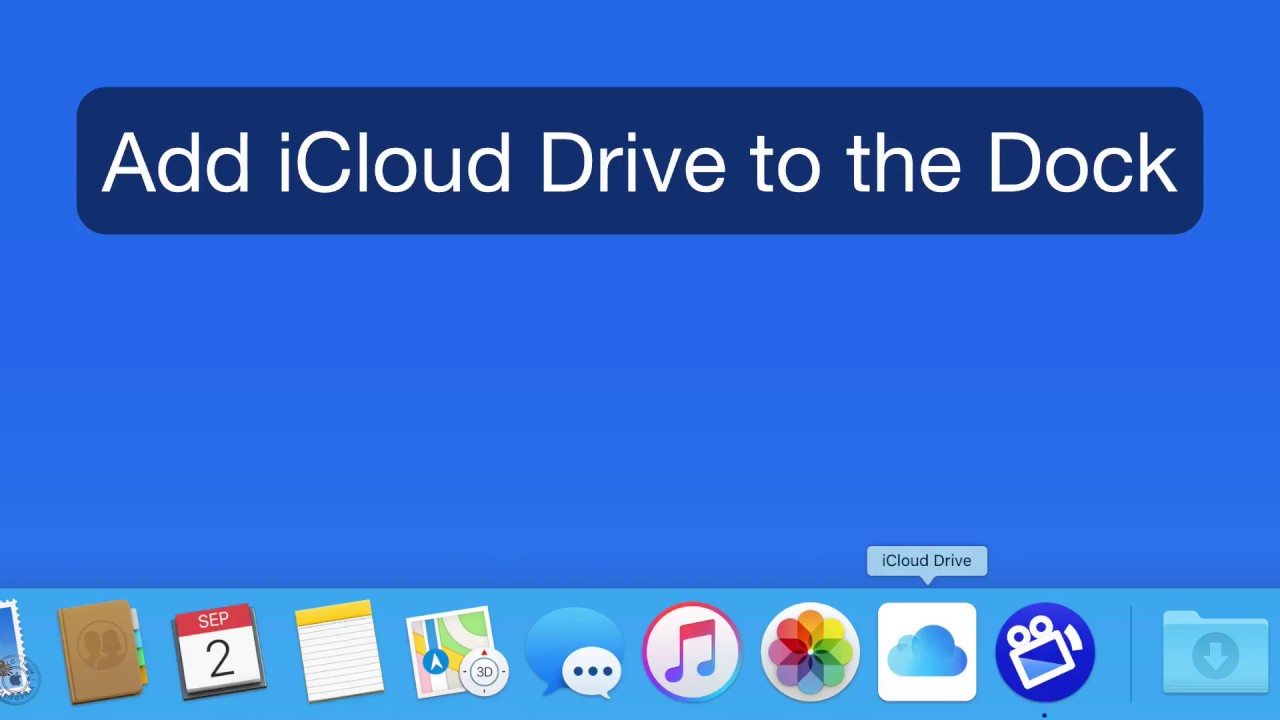
In this quick lesson see how to add locations like iCloud Drive, Air Drop, Recent Files and All My Files to the Dock in macOS.
Copy and paste the following location into the “Go” menu to find the correct icons…
/System/Library/CoreServices/Finder.app/Contents/Applications/

**This has only been tested on macOS Sierra and macOS High Sierra Beta. It may not work the or at all on older versions of macOS.**

video
play-sharp-fill

In this lesson from our full tutorial on What’s New in macOS Sierra see how to activate and utilize the desktop & documents in iCloud Drive feature. It lets you view and sync your files in those folders on your other Mac or iOS devices!

play-sharp-fill
In this free lesson from TheMacU.com see how to manage App Store purchases & subscriptions on iPad, iPhone & Mac. Learn much more about your Mac & iOS devices by becoming an All Access Member.