
iPhone Video Tutorials That Actually Help
Most people do not need more iPhone tips. They need someone to show them exactly where to tap, why a setting matters, and what to do next when the screen does not look the same as expected. That is why iPhone video tutorials remain one of the most effective ways to learn the iPhone. A good lesson removes guesswork, slows the process down, and turns a confusing feature into something you can use right away.
The problem is that not all tutorials teach in the same way. Some move too fast. Some assume you already understand Apple’s language. Others focus on flashy tricks but skip the basics that make the iPhone easier to use every day. If your goal is to become more confident, the format of the instruction matters as much as the topic itself.
Why iphone video tutorials work better than trial and error
The iPhone is designed to feel simple, but many of its most useful features are layered behind gestures, settings menus, and app-specific controls. You can often figure out the basics on your own, but that approach gets frustrating once you want to do anything more deliberate, like manage notifications, clean up Photos, organize Notes, or adjust privacy settings.
Video instruction helps because it shows the full sequence. You are not translating a written description into taps and swipes. You can see the exact path, the visual result, and the timing. That matters for beginners, but it is just as helpful for experienced users who know the device well enough to be efficient and want to stop wasting time hunting through menus.
There is also a confidence factor. When a tutorial is clear, you can pause, repeat, and follow at your own pace. That is a better fit for learning than trying to remember a dozen steps from memory or piecing together advice from short clips that only show part of the process.
What separates useful iPhone video tutorials from random tips
A useful tutorial is built around a task. It does not just say, “Here is a feature.” It answers a real question such as how to scan a document, share a password, recover deleted photos, reduce interruptions, or make text easier to read. That task-based approach is what makes the lesson practical.
Structure matters just as much. The best tutorials start with the outcome, move through the steps in order, and show the screen clearly enough that you can track what is happening. They also explain small details that often get skipped, such as where to find a setting if search does not surface it, what changes after a software update, or how one option affects another.
This is where professionally taught lessons have an advantage over quick social clips. Short videos can be useful for inspiration, but they often compress too much. You may see a result without understanding how to repeat it. For learning, clarity beats speed.
The best topics for iPhone video tutorials
Some iPhone subjects are especially well suited to video because they involve motion, interface changes, or a sequence of decisions. Settings tutorials are a strong example. If you are trying to control notifications, battery usage, Focus modes, privacy permissions, or accessibility options, seeing the path through Settings is more helpful than reading about it.
Photos is another category where video shines. Organizing albums, finding duplicates, editing images, and managing shared libraries all make more sense when you can watch the workflow. The same goes for Messages, Mail, Calendar, Notes, and Reminders, especially if you want to build habits around staying organized.
Security and privacy lessons are also valuable in video form because the stakes are higher. It helps to watch someone explain passcodes, Face ID, location settings, app permissions, Find My, and account protection carefully instead of trying to interpret brief instructions on your own.
There are times when written instructions are enough. If you only need to check a single setting or confirm a menu name, an article can be faster. But for anything multi-step, visual teaching usually wins.
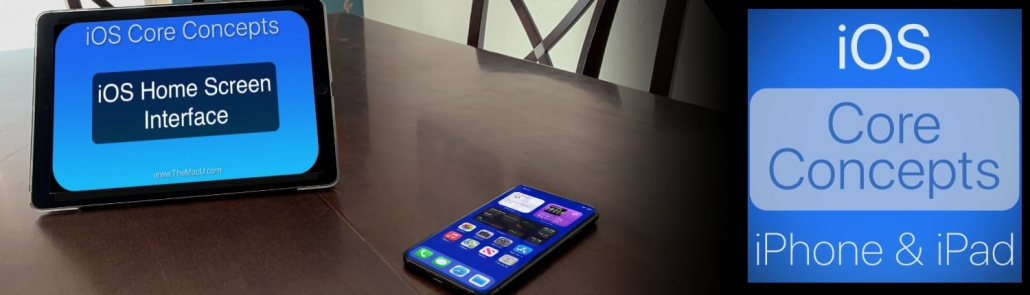
Get the most out of your iPhone or iPad with our Core Concepts video tutorial! Over 30 lessons!
How to choose iPhone video tutorials that fit your skill level
One of the biggest reasons people give up on learning is not that the material is too hard. It is that the lesson starts in the wrong place. A beginner does not need hidden productivity tricks before understanding the Home Screen, Control Center, app management, and basic settings. An intermediate user does not want a long explanation of how to open an app.
The best learning experience meets you where you are. If you are newer to the iPhone, look for tutorials that explain fundamentals without rushing. A good beginner lesson should assume nothing, use plain language, and show each step clearly. It should also avoid piling on too many extra options at once.
If you already use your iPhone comfortably, your needs change. You are probably looking for workflow improvements rather than orientation. In that case, the right tutorials will focus on organization, communication, productivity, photo management, file handling, and smarter settings decisions.
There is no single correct pace. Some learners want a broad overview first and details later. Others prefer one small task at a time. What matters is consistency. When lessons follow a logical progression, it becomes much easier to build confidence instead of collecting disconnected tips.
Why guided visuals make a difference
This is one detail people often overlook until they experience it. Screen recordings alone are not always enough. If the instructor taps quickly or multiple controls appear at once, it can still be hard to follow. Guided visuals such as zooms, callouts, highlights, and slow, deliberate demonstrations reduce that friction.
That kind of teaching is especially helpful for older adults, new Apple users, and anyone who has ever paused a video three times just to find the right button. It lowers the mental load. Instead of decoding the interface, you can focus on learning the action.
It also improves retention. When a lesson is visually directed, the sequence becomes easier to remember later. You are not just hearing instructions. You are associating the instruction with the location and behavior on the screen.
A practical way to use iPhone tutorials without getting overwhelmed
The easiest mistake is trying to learn everything at once. The iPhone can do a lot, but most people benefit more from mastering a few high-value areas first. Start with the places where confusion costs you time every day. That might be notifications, texting, photos, email, contacts, passwords, or calendar management.
Then learn in short sessions with a clear purpose. Watch a lesson, follow along on your own iPhone, and use the feature immediately afterward. If you only watch passively, the information fades quickly. If you apply it right away, it becomes part of your routine.
It also helps to revisit tutorials. Repetition is not a sign that you missed something. It is part of how people learn technology. A feature that seemed abstract the first time often clicks once you have a real reason to use it.
For that reason, a structured library of lessons tends to be more useful than isolated one-off clips. When tutorials are organized by topic and skill level, you spend less time searching and more time improving.
When free tutorials are enough and when a full library helps
Free lessons can be excellent for solving immediate problems. If you need to send a scheduled message, use Live Text, or manage app permissions, a single tutorial may be all you need. That is often the best starting point.
But if you regularly feel like you are only learning fragments, it may be time for a more complete system. A full tutorial library is helpful when you want to understand how the iPhone works across everyday tasks, not just fix one issue at a time. That includes learning how Apple apps connect, how settings affect each other, and how to build repeatable workflows.
This is where a platform like TheMacU fits naturally. Instead of relying on scattered tips, users can move through professionally produced Apple-specific lessons in a sequence that builds real competence. For many people, that is the difference between knowing a few tricks and actually feeling in control of the device.
What to look for before you commit to a tutorial source
Look for instruction that is specific, current, and paced for real people. The teacher should explain what they are doing, not just perform it. The screen should be easy to see. The lessons should be organized in a way that helps you progress from essentials to more advanced tasks.
You should also expect some acknowledgment that software changes. iPhone tutorials do not need to dwell on every minor update, but good instruction recognizes when menus move, names change, or new options alter the process. That is part of practical teaching.
Most of all, choose a source that respects your time. The right lesson gets you to a useful result without making you feel behind, confused, or dependent on guesswork.
The best iphone video tutorials do something simple but powerful. They replace hesitation with clarity. Once that happens, your iPhone stops feeling like a device full of hidden features and starts feeling like a tool you can actually use with confidence.


