Tips & Tricks on adjusting window size in macOS!
Free video lesson · Mac
Tips & Tricks on adjusting window size in macOS!
Different ways to resize windows on a Mac with a few different keyboard shortcuts. Holding down the shift key will lock the aspect ratio. Hold down…

In this quick lesson from TheMacU.com, we look at different ways to resize windows on a Mac with a few different keyboard shortcuts. Holding down the shift key will lock the aspect ratio. Hold down option to expand or contract a window on each side equally. We also look at how to tile windows in full screen. For more on window management, full screen, and mission control take a look at the full macOS Core Concepts Tutorial.
Keep watching
More free video lessons
 Free lessonHow to use Spotlight in macOS – App Launcher + File Search + Shortcuts + Clipboard History!
 Free lessonHow to use Tags to label & organize files or Folders on a Mac!
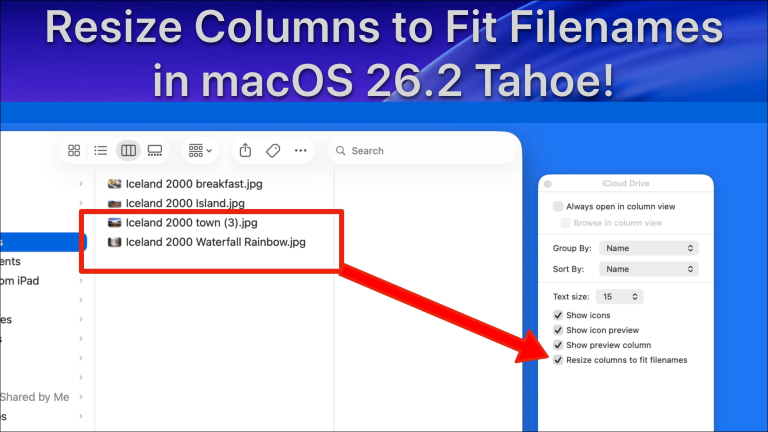 Free lessonHow to Resize Columns to Fit Filenames – New Feature in macOS 26.2 Tahoe!290 free lessonsBrowse every free Mac, iPhone and iPad lessonSee all free lessons →
All Access membership
Watch every Mac, iPhone and iPad tutorial on TheMacU
Every plan starts with a free trial. Cancel any time during the trial and you won't be charged.
Monthly
Auto recurring5-day free trial
- Every Mac, iPhone & iPad tutorial
- New tutorials as they're released
- Watch on any device
- No ads
- Email support
Yearly
Auto recurring7-day free trial · just $2.50 a month
- Every Mac, iPhone & iPad tutorial
- New tutorials as they're released
- Watch on any device
- No ads
- Email support
Lifetime
Single payment7-day free trial · pay once, keep it for good
- Everything in Yearly
- Every future macOS & iOS update tutorial
- Never pay again
Secure checkout. Log in on any Mac, iPhone or iPad with the same account.
Tips & guides