In this lesson that is part the “What’s New in iOS 17” Tutorial see how to use the new Standby feature on iPhone. With Standby when your iPhone is connected to power and locked it can be a smart display that can show widgets, photos and clocks. It can also show notifications and can be used with Siri.
https://themacu.com/wp-content/uploads/2023/09/standbySplsh.jpg12382200Drewhttp://themacu.com/wp-content/uploads/2017/06/TMU.com-Header-logo-jpg-300x138.jpgDrew2023-09-06 20:01:152023-11-29 16:40:30Standby in iOS 17 – How to use your iPhone as a Smart Display!
In this quick lesson see how to send your location to friends and family via satellite when off grid with your iPhone. This only applies to iPhone 14 and later. All iPhone 15 models will also come with this feature built in. This can be a great way to let loved ones know that you are safe and sound when off grid!
https://themacu.com/wp-content/uploads/2020/06/QVC-Logo-PixP-scaled.jpg25602560Drewhttp://themacu.com/wp-content/uploads/2017/06/TMU.com-Header-logo-jpg-300x138.jpgDrew2023-07-26 20:52:242023-07-26 20:52:24How to send your location to contacts via satellite on iPhone 14 Pro & Later!
https://themacu.com/wp-content/uploads/2023/05/UVinSplsh.jpg10031800Drewhttp://themacu.com/wp-content/uploads/2017/06/TMU.com-Header-logo-jpg-300x138.jpgDrew2023-05-10 17:39:092025-05-14 17:51:49How to view UV Index in the iPhone Weather App and add it to your Lock Screen!
In this quick tip we go through the steps to create a high yield savings account (4.15% APY) within Apple Wallet on your iPhone. Only users with an Apple Card are eligible for the Savings Account. Once enabled all your Daily Cash which is the cash back from your Apple Card transactions will be added to the savings account and begin earning interest.
https://themacu.com/wp-content/uploads/2023/04/savings-Splash.jpg1800987Drewhttp://themacu.com/wp-content/uploads/2017/06/TMU.com-Header-logo-jpg-300x138.jpgDrew2023-04-21 21:10:082023-04-21 21:12:10How to Setup a High Yield Savings Account in Apple Wallet on iPhone!
In this video from TheMacU.com we go through my current setup for a mobile dual display workstation that easily fits into a backpack! In this example I use both a 16 inch Macbook Pro and an 11in iPad Pro. Any USB-C equipped laptop should work though. Links to the display, stand and iPad Case I use below.
https://themacu.com/wp-content/uploads/2020/06/QVC-Logo-PixP-scaled.jpg25602560Drewhttp://themacu.com/wp-content/uploads/2017/06/TMU.com-Header-logo-jpg-300x138.jpgDrew2023-01-22 16:16:582025-08-05 17:49:05Dual Display Mobile Workstation Setup with a Mac or iPad!
In this lesson that has been added to our “Learn – iPadOS” Tutorial see how to use an external display to extend your desktop on an iPad. If you have ever considered replacing your laptop with an iPad this could be the feature that makes that decision easier. A keyboard and trackpad (or mouse) is needed to use stage manager on an external display which really makes the experience more “Mac-like”. This will require iPadOS 16.2 (mid-december 2022) as well as an M1 chip, M2 chip or later equipped iPad. Learn much more in the full iPadOS video tutorial here…
Find the iPad, displays and keyboard case used in this lesson at the affiliate links below…
https://themacu.com/wp-content/uploads/2019/07/iPadOS-icon.jpg10241024Drewhttp://themacu.com/wp-content/uploads/2017/06/TMU.com-Header-logo-jpg-300x138.jpgDrew2022-12-19 17:50:482022-12-19 17:50:48How to use Stage Manger on iPad with an External Display!
In this lesson that’s been added to both the Health App and Apple Watch Tutorial see how to setup and utilize Sleep Tracking on Apple Watch. The monitors your movements, heart rate and respiratory rate while sleeping to track your sleep stages.
View the full Apple Health Overview Tutorial…
https://themacu.com/wp-content/uploads/2020/02/Health-icon.jpg10241024Drewhttp://themacu.com/wp-content/uploads/2017/06/TMU.com-Header-logo-jpg-300x138.jpgDrew2022-12-09 21:39:472022-12-09 21:40:52How to Track your Sleep with an Apple Watch and the iPhone Health App!
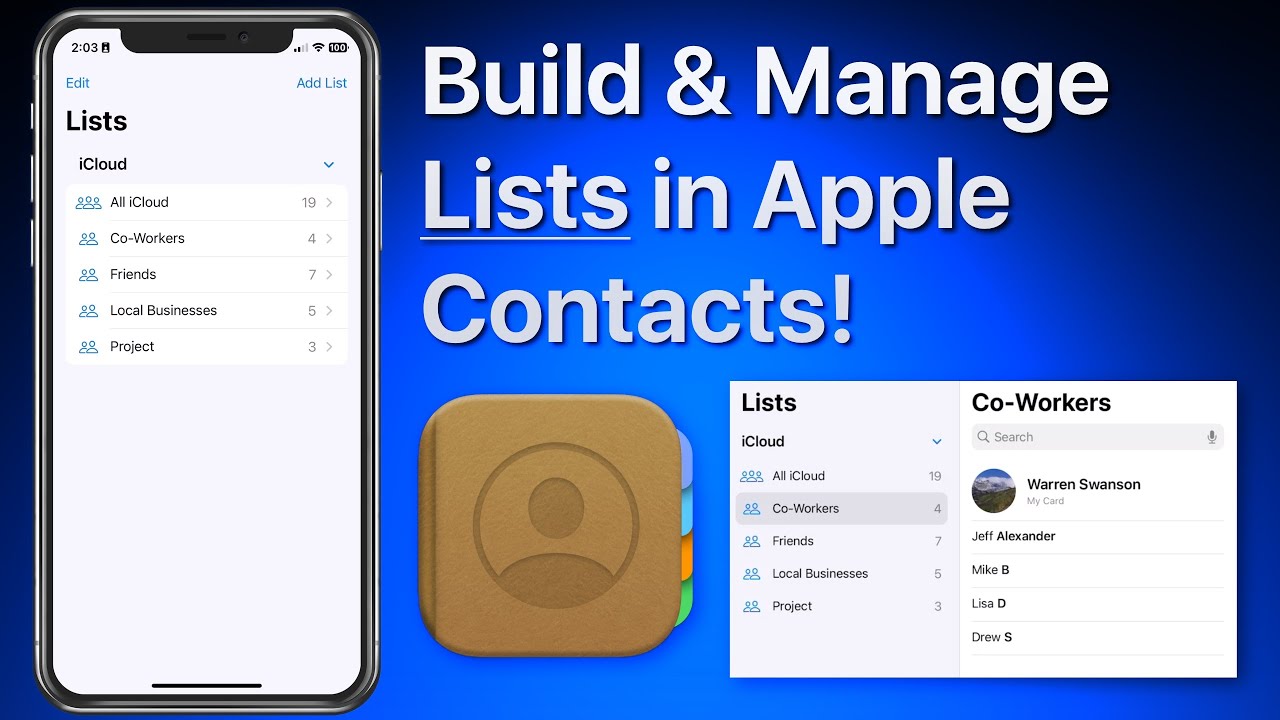
In this lesson that’s part of our new “Contacts for iOS & Mac Tutorial” tutorial see use lists to organize and manager your contacts on iPhone & iPad. We look at how lists can be used to organize a large collection of contacts. Lists can then be used to send a group email or message to all the contacts in a list! Learn much more about using the Contacts App in the full tutorial here…
https://themacu.com/wp-content/uploads/2022/11/Contacts2022.jpg10241024Drewhttp://themacu.com/wp-content/uploads/2017/06/TMU.com-Header-logo-jpg-300x138.jpgDrew2022-11-23 18:36:192023-11-16 17:43:12How to create and manage lists in Apple Contacts App for iPhone & iPad!
In this lesson that’s been added to our full tutorial on Apple Maps for iOS & Mac see how to use the Interactive Globe feature. This can be a fun way to discover new places and sharpen up your world geography knowledge! Read more
https://themacu.com/wp-content/uploads/2020/06/Maps-iOS.jpg10241024Drewhttp://themacu.com/wp-content/uploads/2017/06/TMU.com-Header-logo-jpg-300x138.jpgDrew2022-09-17 16:05:022022-09-17 16:06:27How to use the Interactive Globe in Apple Maps!
In this lesson that’s part of our “What’s New in iOS 16” Tutorial see how to add different widgets to your custom lock screens in iOS 16 on iPhone. Learn much more about Lock Screen customization and iOS 16 in general with the full tutorial here…
https://themacu.com/wp-content/uploads/2022/08/LearniOS16WN.jpg10241024Drewhttp://themacu.com/wp-content/uploads/2017/06/TMU.com-Header-logo-jpg-300x138.jpgDrew2022-09-13 20:39:332022-09-13 20:39:33How to add widgets to your iPhone Lock Screen in iOS 16!