How to Set Up Emergency Contacts & Medical ID on iPhone!
Free video lesson · Mac, iPhone & iPad
How to Set Up Emergency Contacts & Medical ID on iPhone!
In this lesson, we cover how to set up Emergency Contacts and your Medical ID on iPhone — two features that could be critically important in an emergency.
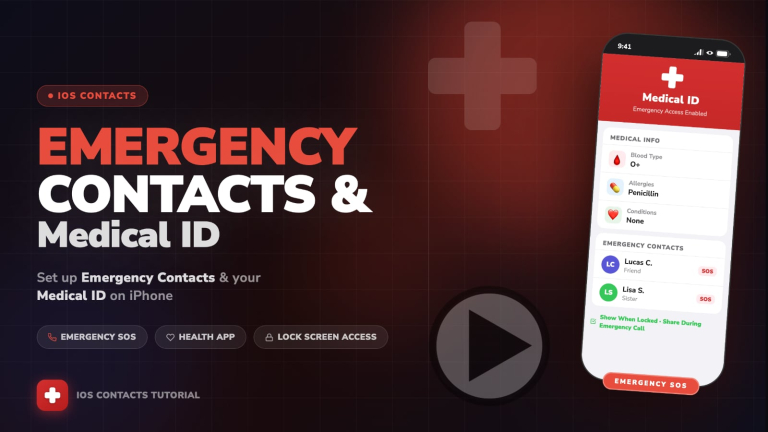
In this lesson from our Contacts for iOS Tutorial we cover how to set up Emergency Contacts and your Medical ID on iPhone — two features that could be critically important in an emergency. We'll walk through how to designate any contact as an emergency contact directly from the Contacts app, what the medical icon next to a contact's name means, and how emergency contacts are automatically notified when Emergency SOS is triggered on your iPhone. From there, we jump into the Health app to explore your Medical ID — how to add and remove emergency contacts from there, and what information you can store, including blood type, allergies, and medical history. Finally, we cover the key settings you need to enable so that first responders can access your Medical ID from the lock screen, even without your passcode.
Keep watching
More free video lessons
 Free lessonUse Contacts with other Apps – Apple Contacts for iPhone & iPad Tutorial
 Free lessonTwo ways to remove duplicate entries from the Contacts App on your Mac!Free lessonHow to create and manage lists in Apple Contacts App for iPhone & iPad!290 free lessonsBrowse every free Mac, iPhone and iPad lessonSee all free lessons →
All Access membership
Watch every Contacts for Mac & iOS lesson, plus every other tutorial
Every plan starts with a free trial. Cancel any time during the trial and you won't be charged.
Monthly
Auto recurring5-day free trial
- Every Mac, iPhone & iPad tutorial
- New tutorials as they're released
- Watch on any device
- No ads
- Email support
Yearly
Auto recurring7-day free trial · just $2.50 a month
- Every Mac, iPhone & iPad tutorial
- New tutorials as they're released
- Watch on any device
- No ads
- Email support
Lifetime
Single payment7-day free trial · pay once, keep it for good
- Everything in Yearly
- Every future macOS & iOS update tutorial
- Never pay again
Secure checkout. Log in on any Mac, iPhone or iPad with the same account.
Tips & guides



 TheMacU.com 2020