How to use Mail Categories in the Apple Mail App on iPhone & iPad!
Free video lesson · iPhone & iPad
How to use Mail Categories in the Apple Mail App on iPhone & iPad!
Learn how to use the new Mail Categories feature. This was added back in iOS 18.2 for iPhone and 18.4 for iPad & Mac.
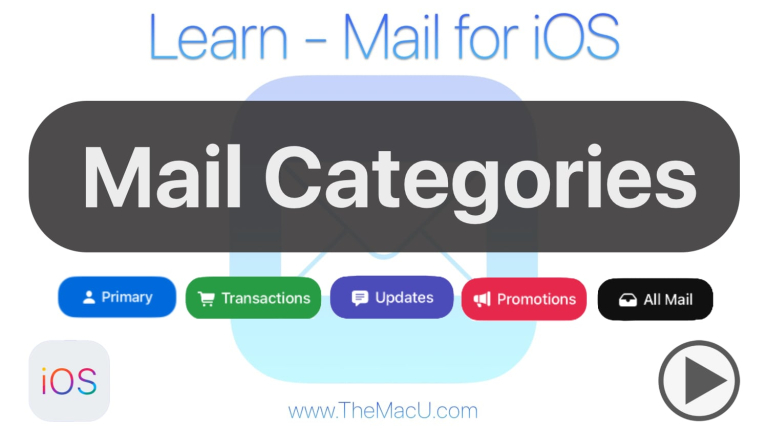
In this lesson that has been added to our full tutorial on Apple Mail for iOS see how to use the new Mail Categories feature. This was added back in iOS 18.2 for iPhone and 18.4 for iPad & Mac. When activated Mail will automatically categorize messages as they arrive. In this video learn how to turn mail categories on or off as well as how to manually assign a category to a specific sender.
Current All Access Members can view the entire Mail for iOS Tutorial here...
Keep watching
More free video lessons
 Free lessonHow to Compose & Send email in the Mail App for iPhone and iPad.
 Free lessoniOS 15 What’s New – How to use Hide My Email with an iCloud + account!
 Free lessonNew Features in the iOS 13 Mail App for iPhone & iPad!291 free lessonsBrowse every free Mac, iPhone and iPad lessonSee all free lessons →
All Access membership
Watch every Mail for iPhone & iPad lesson, plus every other tutorial
Every plan starts with a free trial. Cancel any time during the trial and you won't be charged.
Monthly
Auto recurring5-day free trial
- Every Mac, iPhone & iPad tutorial
- New tutorials as they're released
- Watch on any device
- No ads
- Email support
Yearly
Auto recurring7-day free trial · just $2.50 a month
- Every Mac, iPhone & iPad tutorial
- New tutorials as they're released
- Watch on any device
- No ads
- Email support
Lifetime
Single payment7-day free trial · pay once, keep it for good
- Everything in Yearly
- Every future macOS & iOS update tutorial
- Never pay again
Secure checkout. Log in on any Mac, iPhone or iPad with the same account.




 TheMacU.com 2025