• All Access Login
  • Contact
TheMacU.com
  • Home
  • Free Lessons
  • Full Tutorials
    • Core Tutorials
      • macOS 27 Golden Gate What’s New
      • macOS Core Concepts
      • iOS 27 What’s New
      • iOS Core Concepts
      • iPadOS Overview
      • iCloud for Mac, iPad & iPhone
      • Apple Intelligence
      • Mac Utilities
      • Mac Backup
      • Mac Security
      • CleanMyMac X
      • Markup for iOS
      • iOS 26 What’s New
      • iOS 18 What’s New
      • macOS 26 Tahoe What’s New
      • macOS Sequoia What’s New
    • Productivity Tutorials
      • Safari for Mac
      • Safari for iOS (iPad & iPhone)
      • Mail for Mac
      • Mail for iOS (iPad & iPhone)
      • Files for iOS
      • Contacts for Mac & iOS
      • Calendar for Mac & iOS
      • Reminders for Mac & iOS
      • Apple Maps for iOS & Mac
      • Notes for Mac & iOS
      • FindMy for iOS & Mac
      • Freeform for iOS & Mac
      • Health App Overview
      • Pages for Mac
      • Numbers for Mac
      • Keynote for Mac
      • Pages for iOS
    • Photography Tutorials
      • Photos for Mac
      • Photos for iPad
      • Photos for iPhone
      • iPhone Camera
      • iMovie for Mac
      • iMovie for iOS (iPad & iPhone)
      • Pixelmator Pro Essentials
      • Preview for Mac
    • Media & Entertainment Tutorials
      • Music App for Mac
      • Music App for iOS (iPhone & iPad)
      • Apple Music Service
      • AirPods Tutorial
      • Apple Podcasts
      • Apple News
      • Apple Books
  • Testimonials
  • Memberships & Pricing
  • Click to open the search input field Click to open the search input field Search
  • Menu Menu
Quick Lesson: Calculate Folder Sizes in the Mac Finder List View
Free Mac Lessons

Quick Lesson: Calculate Folder Sizes in the Mac Finder List View

Free video lesson · Mac

Quick Lesson: Calculate Folder Sizes in the Mac Finder List View

Quickly view the sizes of all folders displayed in a Finder Window on your Mac. Great for when you need to know the combined size of all the files…

Added December 10, 2018

Free video lesson
Quick Lesson: Calculate Folder Sizes in the Mac Finder List View

In this quick lesson see how to quickly view the sizes of all folders displayed in a Finder Window on your Mac. Great for when you need to know the combined size of all the files in a folder!

Keep learning

macOS Core Concepts 65 video lessons

How your Mac really works: the Desktop and Finder, files and folders, iCloud, and every part of System Settings.

Start your free trialSee the lessons

Advertisement

Keep learning

macOS Core Concepts

65 video lessons

  • Finder Windows
  • Mission Control, Spaces & Split View
  • The App Switcher
  • Quick Look
  • Spotlight Search
Start your free trialSee every lesson →
Advertisement

Keep watching

More free video lessons

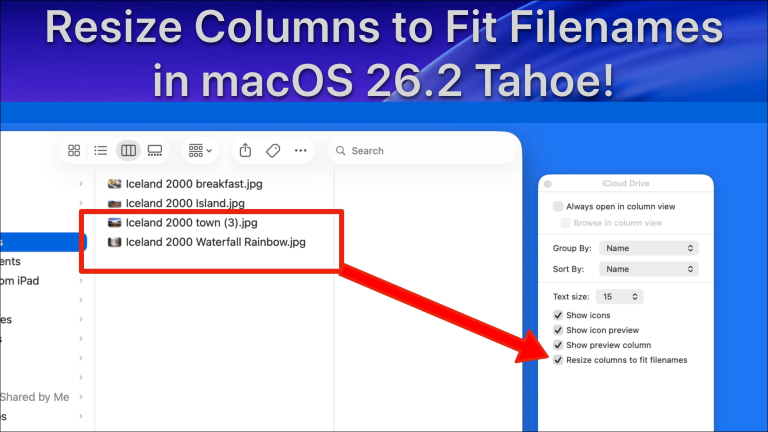
Free lessonHow to use Spotlight in macOS – App Launcher + File Search + Shortcuts + Clipboard History!Free lessonHow to use Tags to label & organize files or Folders on a Mac!Free lessonHow to Resize Columns to Fit Filenames – New Feature in macOS 26.2 Tahoe!290 free lessonsBrowse every free Mac, iPhone and iPad lessonSee all free lessons →

All Access membership

Watch every Mac, iPhone and iPad tutorial on TheMacU

Every plan starts with a free trial. Cancel any time during the trial and you won't be charged.

Monthly

Auto recurring
$5/ month

5-day free trial

  • Every Mac, iPhone & iPad tutorial
  • New tutorials as they're released
  • Watch on any device
  • No ads
  • Email support
Start monthly trial
Best value

Yearly

Auto recurring
$30/ year

7-day free trial · just $2.50 a month

  • Every Mac, iPhone & iPad tutorial
  • New tutorials as they're released
  • Watch on any device
  • No ads
  • Email support
Start yearly trial

Lifetime

Single payment
$150one time

7-day free trial · pay once, keep it for good

  • Everything in Yearly
  • Every future macOS & iOS update tutorial
  • Never pay again
Start lifetime trial

Secure checkout. Log in on any Mac, iPhone or iPad with the same account.

Tips & guides

Step-by-step guides on this topic

Using Shortcuts for Productivity on MacRead the guide →How to Use Mac Automations for Everyday TasksRead the guide →7 Best Apple Productivity Workflows to UseRead the guide →
December 10, 2018
Tags: desktop, Finder, folders, Mac, macOS, Mojave, tips
Share this entry
  • Share on Facebook
  • Share on X
  • Share on WhatsApp
  • Share on Pinterest
  • Share on LinkedIn
  • Share on Tumblr
  • Share on Reddit
  • Share by Mail
https://themacu.com/wp-content/uploads/2017/05/Podcast-graphic-copy.jpg 1500 1500 Drew http://themacu.com/wp-content/uploads/2017/06/TMU.com-Header-logo-jpg-300x138.jpg Drew2018-12-10 19:52:142019-06-26 13:40:03Quick Lesson: Calculate Folder Sizes in the Mac Finder List View
You might also like
New Contacts for iPhone & iPad Tutorial! New Contacts for iPhone & iPad Tutorial!
How to Use the NEW "Describe a Shortcut" automation Feature in macOS 27 Golden Gate (Siri AI) How to Use the NEW “Describe a Shortcut” automation Feature in macOS 27 Golden Gate (Siri AI)
How to easily track flights and share flight information on iPhone, iPad & Mac! How to easily track flights and share flight information on iPhone, iPad & Mac!
iMovie Tutorial for Apple iPhone & iPad New! iMovie for iOS (iPad & iPhone) Tutorial…
How to manage App Store purchases & subscriptions on iPad, iPhone & Mac How to manage App Store purchases & subscriptions on iPad, iPhone & Mac
iPhone camera tutorial - learn iPhone photography iPhone Camera Lesson – How to use Night Mode!
macOS 26 Tahoe What's New Tutorial - Now Available! macOS 26 Tahoe What’s New Tutorial – Now Available!
macOS 26 Tahoe What's New Tutorial - Now Available! New! iOS 12 What’s New Tutorial…

All Access

View our comprehensive collection of Mac, iPad, and iPhone tutorials today! We offer a range of membership options, all starting with a free trial!

Start your Free Trial!

Search Topics

Search Search

Topics

Apple Intelligence Apple Maps Apple Music camera desktop Finder High Sierra iCloud iMac iMovie iOS iOS 11 iOS 12 iOS 13 iOS 14 iOS 15 iPad iPadOS iPad Pro iPhone iPhone 11 iPhone 12 iPhone X Luminar Mac Macbook Macbook Air MacBook Pro Mac Mini macOS macOS Catalina Mail Maps Mojave Music Notes Photo Editing Photo Enhancement Photos Safari Settings Sierra tips troubleshooting tutorial

Archive

Free Lessons!

  • How to Use Backblaze Online Backup for Mac!
    How to Use Backblaze Online Backup for Mac!November 6, 2026 - 8:56 pm
  • How to Erase, Format & Choose the Best File System on Mac (APFS, ExFAT, & More)
    How to Erase, Format & Choose the Best File System on Mac (APFS, ExFAT, & More)October 29, 2026 - 4:17 pm
  • How to use Tags & Smart folders in Apple Notes for Mac!
    How to use Tags & Smart folders in Apple Notes for Mac!October 16, 2026 - 5:12 pm
  • How to use Spotlight in macOS - App Launcher + File Search + Shortcuts + Clipboard History!
    How to use Spotlight in macOS – App Launcher + File Search + Shortcuts + Clipboard History!October 5, 2026 - 8:25 pm
  • How to Use the NEW "Describe a Shortcut" automation Feature in macOS 27 Golden Gate (Siri AI)
    How to Use the NEW “Describe a Shortcut” automation Feature in macOS 27 Golden Gate (Siri AI)September 21, 2026 - 11:54 pm
  • How to Use the NEW Siri AI App in iOS 27!
    How to Use the NEW Siri AI App in iOS 27!September 19, 2026 - 5:44 pm
  • How to Use macOS 27 Visual Intelligence: Siri On-Screen AI Explained!
    How to Use macOS 27 Visual Intelligence: Siri On-Screen AI Explained!September 14, 2026 - 9:03 pm
  • Notify Me - New Safari Browser feature in macOS 27! (Track Price Drops & Restocks!)
    Notify Me – New Safari Browser feature in macOS 27! (Track Price Drops & Restocks!)September 9, 2026 - 10:01 pm
  • Use Contacts with other Apps - Apple Contacts for iPhone & iPad Tutorial
    Use Contacts with other Apps – Apple Contacts for iPhone & iPad TutorialJuly 13, 2026 - 9:00 pm
  • How to Set Up Emergency Contacts & Medical ID on iPhone
    How to Set Up Emergency Contacts & Medical ID on iPhone!May 25, 2026 - 4:03 pm
  • Apple Maps for Mac: Master Places, Pinned Locations & Custom Guides! Step by Step Tutorial.
    Apple Maps for Mac: Master Places, Pinned Locations & Custom Guides! Step by Step Tutorial.May 10, 2026 - 4:40 pm
  • Safari Profiles on iPhone & iPad — Keep Work & Personal Browsing Completely Separate!
    Safari Profiles on iPhone & iPad — Keep Work & Personal Browsing Completely Separate!May 2, 2026 - 4:33 pm
  • How to Use the Info Panel in Apple Photos for Mac: View, Edit & Organize Your Photo Details
    How to Use the Info Panel in Apple Photos for Mac: View, Edit & Organize Your Photo DetailsApril 19, 2026 - 5:21 pm
  • Remove photos from your Main Library when they are in an Album! Apple Photos Lesson for Mac & iOS!
    Remove photos from your Main Library when they are in an Album! Apple Photos Lesson for Mac & iOS!April 11, 2026 - 5:28 pm
  • How to add subtasks in Reminders for Mac! Step by Step Tutorial.
    How to add subtasks in Reminders for Mac! Step by Step Tutorial.April 8, 2026 - 10:30 pm

All Access

  • Tutorials Browser
  • Account

Browse

  • All Tutorials
  • Core Tutorials
  • Productivity Tutorials
  • Photography Tutorials

Blog

  • Free Apple Watch Lessons! (4)
  • Free iOS Lessons (150)
  • Free Mac Lessons (167)
  • Mac, iPhone and iPad Tips! (102)
  • News (106)
  • Recommended Items (3)
  • Uncategorized (75)
  • Updates (100)

About & Info

  • Contact
  • Promo Offer Terms
  • Partners & Affiliates
  • Group Memberships
SwansonDigital, LLC Ltd. All Rights Reserved. TheMacU.com has not been sponsored, or otherwise approved by Apple Inc. - Enfold WordPress Theme by Kriesi
  • Link to Facebook
Link to: iMovie for iOS Link to: iMovie for iOS iMovie for iOSiMovie for iOS Link to: Luminar 3 with Libraries Overview Link to: Luminar 3 with Libraries Overview Luminar 3 with Libraries OverviewLuminar 3 with Libraries Overview
Scroll to top Scroll to top Scroll to top
20%OFF

TheMacU newsletter

Get 20% off any membership

Join our weekly newsletter for free lessons, new tutorials and member deals. We’ll send your 20% code right away.

One email a week. Unsubscribe anytime.

You’re subscribed

Here’s your code

Use it for 20% off any All Access membership. It applies every time your membership renews. We’ve emailed it to you too.

See membership options