
In this free lesson from TheMacU.com see what steps to take before you give your old Mac away, sell it or trade it in for a new one!
To see how much $$ you can get for a Mac trade in from Gazelle go to www.TheMacU.com/trade.

In this free lesson from TheMacU.com see what steps to take before you give your old Mac away, sell it or trade it in for a new one!
To see how much $$ you can get for a Mac trade in from Gazelle go to www.TheMacU.com/trade.

In this lesson from the “Learn – Mac Backup” tutorial we take a look document versions feature which can be used along with a Time Machine Backup. With Document Versions you can browse auto-saved snap shots of a document that follow its history from bring created to all the edits and changes to its current form. Any of those past versions can then be restored with a click! Learn much more in the Full Tutorial!

In this lesson that’s included in the full tutorial on CleanMyMac X we take a look at the new “Space Lens” scanner. With Space Lens you can quickly visualize what folders and files are taking up the most room on your hard drive(s).
CleanMyMac X is also included with a subscription to SetApp!

Learn – Markup for iOS is now available! This tutorial shows how to use the various Markup tools in different ways. See how to quickly add text to an image, add a signature to a document, sketch, add shapes and more! Learn More…
Current All Access Members can view the full tutorial Here…


The Sunrays Filter in Luminar

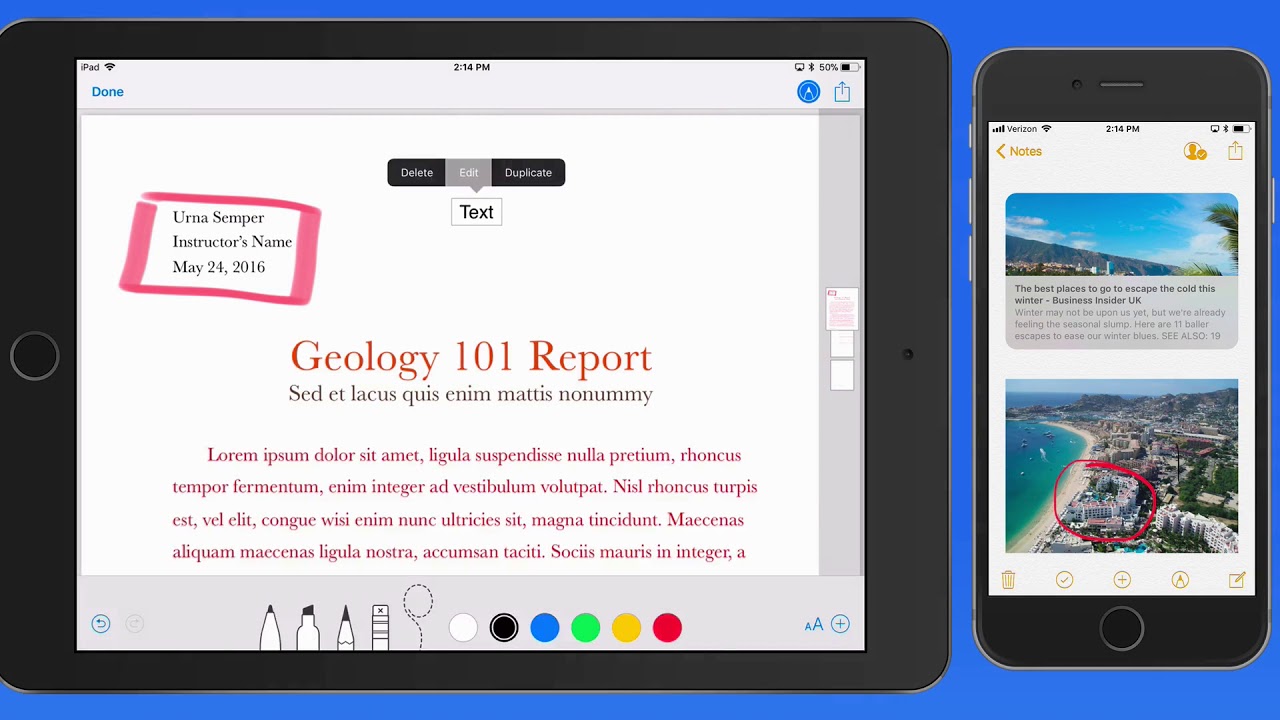
In this lesson from the Markup tutorial in the Mini Tutorials Collection see how to add text to images and other documents types with Markup. This can be done from a variety of Apps for a variety of reasons. Learn much more in the full Markup Mini Tutorial.

In this lesson from the full tutorial on CleanMyMac X we take a look at the uninstaller feature that lets us fully remove Apps that we no longer need on our Mac. The uninstaller also displays Apps that haven’t been used in 6+ months, Apps that will no longer function (32 bit) in macOS Catalina and more! Click below to try CleanMyMac X for free.
CleanMyMac X is also included with a subscription to SetApp!