How to Record a Phone Call on iPhone & Get a Transcript in Notes!
Free video lesson · iPhone & iPad
How to Record a Phone Call on iPhone & Get a Transcript in Notes!
Record a phone or FaceTime call on iPhone and get a full transcript and summary saved to the Notes app. Free step-by-step video lesson from TheMacU.
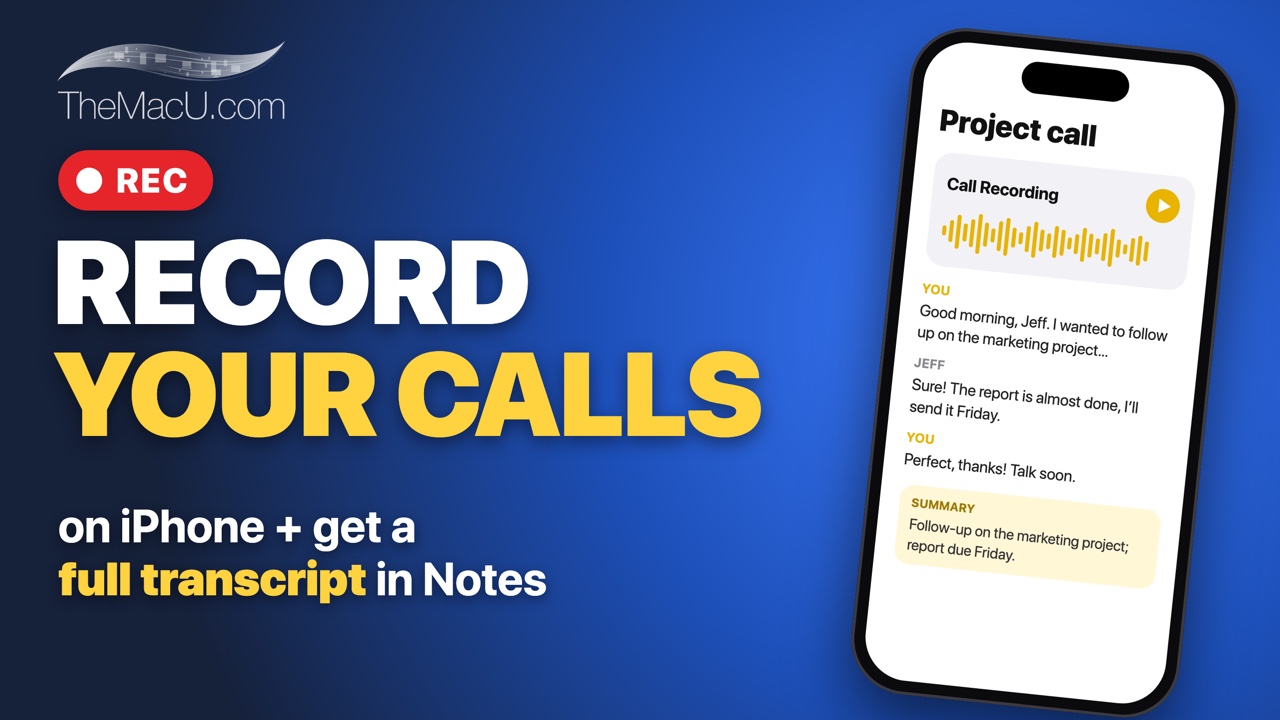
In this lesson, see how to record a phone or FaceTime call right on your iPhone and get a full written transcript saved to the Notes app. When you hang up, Notes keeps the call audio, a transcript of everything that was said and a summary of the call, so you never lose the details of an important conversation.
What you’ll learn in this video...
- Turn on call recording in the Phone settings
- Start recording from the More button during a phone or FaceTime call (both people are notified)
- Take your own notes in the Notes app while you’re still on the call
- Read the full transcript, with what each person said shown separately
- View a summary of the call from Apple Intelligence (on iPhones that support it)
- Search the transcript for a specific word or phrase
- Save or share the call audio as its own file
Keep watching
More free video lessons



All Access membership
Watch every Mac, iPhone and iPad tutorial on TheMacU
Every plan starts with a free trial. Cancel any time during the trial and you won't be charged.
Monthly
Auto recurring5-day free trial
- Every Mac, iPhone & iPad tutorial
- New tutorials as they're released
- Watch on any device
- No ads
- Email support
Yearly
Auto recurring7-day free trial · just $2.50 a month
- Every Mac, iPhone & iPad tutorial
- New tutorials as they're released
- Watch on any device
- No ads
- Email support
Lifetime
Single payment7-day free trial · pay once, keep it for good
- Everything in Yearly
- Every future macOS & iOS update tutorial
- Never pay again
Secure checkout. Log in on any Mac, iPhone or iPad with the same account.
Tips & guides





 2019 TheMacU.com